UniFi vs traditional business wifi: Which network is right for your Australian business?
Key Takeaways
Choosing between UniFi and traditional business wifi is less about a single brand and more about how your business needs to operate. A good decision considers coverage, security, support, growth and the real cost of interruptions.
- UniFi can suit growing Brisbane businesses that want centrally managed network infrastructure.
- A traditional setup may be adequate for a small, simple office with few devices.
- Access point placement and network design matter as much as the hardware itself.
- Separate staff, guest and business-critical traffic before problems occur.
- A site audit and migration plan can prevent disruption during an upgrade.
What UniFi and traditional business wifi mean
The phrase UniFi vs traditional business wifi usually describes two different approaches to network design. One uses a coordinated set of network devices managed through a central platform, while the other may combine separate routers, switches and wireless access points. Neither option is automatically right for every business. The better choice depends on your site, staff, applications, security expectations and available support.
How a UniFi network is designed and managed
A UniFi network is typically planned as a connected environment rather than a collection of standalone devices. Access points provide wireless coverage, switches connect wired equipment and a gateway manages the connection between the business network and the internet. UniFi deployments are included within OutTask network infrastructure projects, where the design, installation and ongoing management are considered together.
What traditional business wifi typically includes
A traditional business wifi setup may have a router supplied with the internet service, one or more wireless access points and a separate switch. It can work well when the office is small, the floor plan is straightforward and the number of connected devices is stable. Problems often appear when equipment has been added over time without a clear plan or consistent documentation.
The role of access points, switches and gateways
Access points are responsible for wireless communication, but they do not solve every network problem. Switches provide wired connections for computers, phones, cameras and other devices, while a gateway controls traffic between networks and the internet. Treating these parts as one design helps avoid bottlenecks and makes troubleshooting more practical.
Why network architecture matters for growing businesses
Growth changes a network quickly. A business may add staff, meeting rooms, cloud applications, cameras or a second office without realising that its original design is becoming a constraint. A documented network plan makes future changes safer, especially for Brisbane and South East Queensland businesses moving offices or adding locations.
Comparing performance and coverage
Wireless performance is affected by walls, building materials, interference, device density and access point placement. A single router in a corner may appear fine during a quiet morning but struggle during meetings or busy service periods. Comparing UniFi and traditional business wifi should therefore start with how the network performs across the whole site, not just the advertised speed of a device.
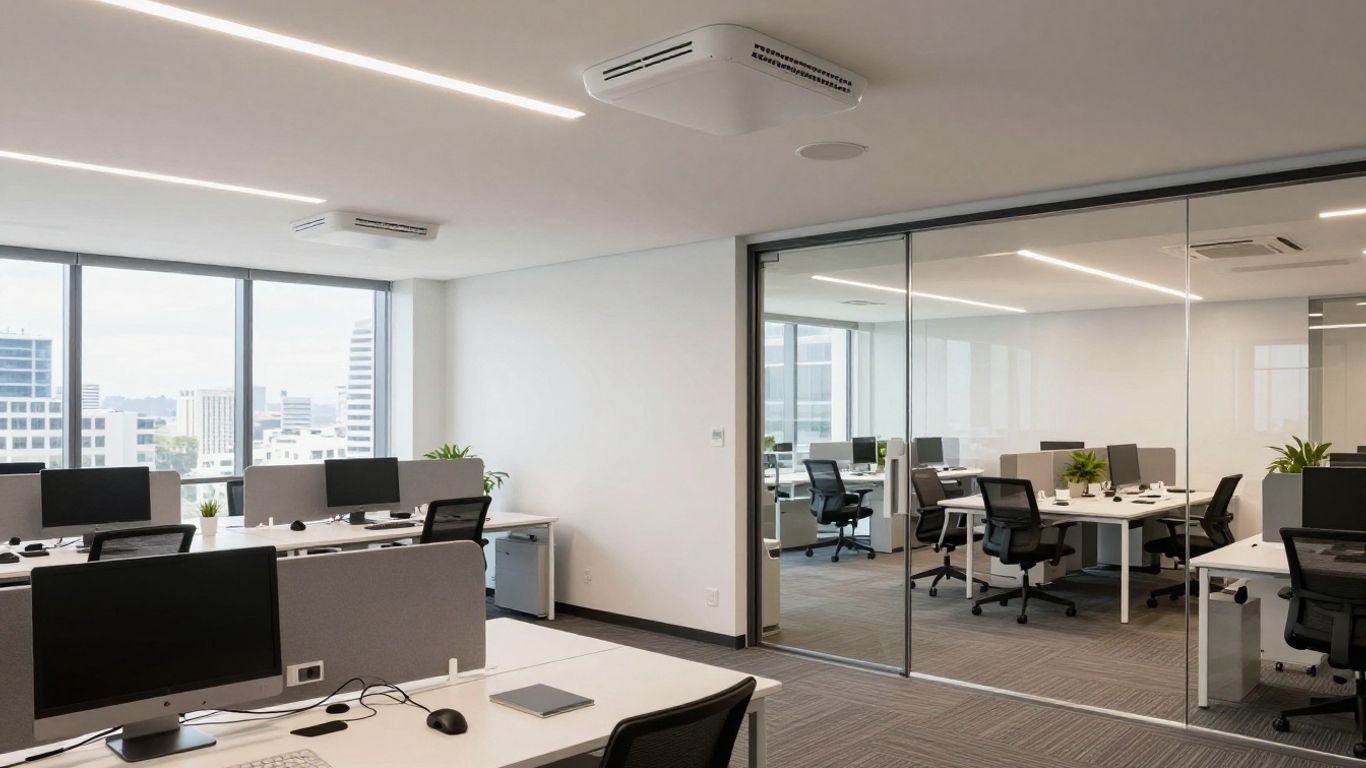
Managing coverage across offices and larger sites
Larger offices, warehouses, schools and multi-tenant buildings usually need several access points planned around the site. The aim is consistent coverage, sensible handover between areas and enough capacity where people actually work. In a hospitality venue, guest wifi should also be planned separately from systems used for point-of-sale and administration.
Supporting busy teams and high device numbers
Device numbers include more than laptops. Phones, printers, tablets, meeting room equipment, cameras and building systems all compete for connectivity. A busy office needs a network that can handle these different demands without relying on one overloaded wireless point.
Handling video calls, cloud apps and voice services
Video meetings and cloud applications expose weak networks quickly. Short interruptions may cause frozen calls, delayed file access or poor voice quality. Before replacing hardware, check internet capacity, cabling, switch ports and wireless signal levels so the upgrade addresses the actual cause.
Reducing dead zones and connection dropouts
Dead zones often result from poor placement rather than old equipment alone. Keep a record of where users report problems, test those locations at different times and check whether devices are clinging to a distant access point. A professional UniFi wifi installation can help businesses plan coverage rather than simply add another device wherever the complaint occurs.
When a site survey is worth the investment
A site survey is worthwhile when the building is large, walls are dense, wireless demand is high or the business cannot afford interruptions. It is also useful before an office move or fitout. The resulting plan can identify access point locations, cabling needs and likely sources of interference before installation begins.
Security and network control
Business wifi carries more than internet traffic. It may provide a path to shared files, cloud services, payment systems, cameras and operational equipment. Security should be designed into the network from the start, with clear separation, strong administration and regular review. This is especially relevant to Australian businesses handling personal, financial, student or patient information.
Separating staff, guest and business-critical devices
Guest devices should not sit on the same network as staff computers or business systems. Separate wireless networks can provide visitors with internet access while limiting access to internal resources. Hospitality venues, schools and community facilities often need several carefully defined groups rather than one password shared by everyone.
Using VLANs to limit access between systems
VLANs are a practical way to separate traffic logically across shared network equipment. They can be used for staff, guests, voice services, cameras or operational technology, with firewall rules controlling what can communicate between them. A small business network setup should document these boundaries so a future technician can understand and maintain them.
Managing passwords, permissions and administrator access
Change default passwords, use individual administrator accounts and remove access when a staff member leaves. Keep wireless credentials under control and avoid sharing an administrator login among several people. These simple steps reduce uncertainty when investigating an incident or making a change.
Supporting Australian cybersecurity expectations
Network controls form one part of a wider security programme. Australian businesses should also consider patching, multifactor authentication, endpoint protection, backups and staff awareness. OutTask provides cybersecurity support aligned with practical Essential Eight priorities for Brisbane SMBs.
Protecting hospitality, education and professional services networks
Each industry has different risks. Schools need separate student and staff access with dependable campus coverage, while hospitality businesses need guest wifi isolated from payment and point-of-sale systems. Professional services firms may place greater emphasis on confidential documents, remote access and controlled permissions.
Costs, licensing and ongoing maintenance
The purchase price is only one part of a network decision. Installation, cabling, configuration, documentation, monitoring and future support can have a greater effect on the total cost. A cheaper setup may be sensible for a simple office, but not if every fault requires a rushed callout or causes lost working time.
Comparing upfront hardware and installation costs
List the equipment required, not just the access points. Include switches, gateway hardware, cabling, mounting, configuration and testing. Ask whether the design allows spare capacity, because replacing an undersized switch shortly after installation can cost more than planning correctly at the beginning.
Understanding subscriptions, warranties and support
Confirm what support is included, how warranty issues are handled and whether monitoring or software features involve recurring charges. Traditional equipment can also carry ongoing costs through support agreements and replacement parts. Compare like with like rather than assuming one model is automatically cheaper.
Factoring in monitoring, upgrades and troubleshooting
Firmware updates, configuration backups and health checks should be assigned to someone. If nobody owns those tasks, they tend to wait until a problem occurs. A managed arrangement can make maintenance predictable and provide a clear escalation path.
Calculating the cost of downtime
Estimate the effect of one hour without reliable connectivity. Consider staff time, missed calls, payment delays, lost sales, interrupted classes and reputational damage. This calculation often changes the decision from buying the cheapest hardware to choosing the network that can be supported properly.
Choosing between internal management and managed IT support
An internal administrator may be comfortable handling a small network, but that responsibility competes with other work. Outsourced managed IT support can provide proactive monitoring, helpdesk assistance and network management for businesses that do not want to employ a dedicated internal IT team.
Day-to-day management and visibility
A network is not finished when the access points are mounted. Users will move desks, devices will be replaced and new applications will appear. Central visibility helps a business understand what is happening before a small issue becomes a wider interruption.

Monitoring network health from a central dashboard
A central dashboard can make it easier to review connected devices, access point status and alerts in one place. The value comes from acting on useful information, not watching a screen all day. Set sensible alerts and keep an up-to-date record of the site.
Identifying slow devices and connection problems
When one person reports slow wifi, check whether the issue follows the device, location or application. Compare wired and wireless performance, review signal strength and test at different times. This method is more reliable than restarting equipment without identifying the cause.
Applying firmware and security updates
Updates should be planned, tested where practical and scheduled outside the busiest periods. Keep a backup of the configuration and document any changes. If an update causes an issue, a clear rollback or recovery process can reduce disruption.
Managing multiple offices or business locations
Multiple sites create additional work around naming, permissions, internet services and support. Consistent standards make it easier to add a branch and easier for a local Brisbane technician to troubleshoot remotely. Each site should still be checked for its own building and business needs.
Knowing when professional support is needed
Call for help when faults keep returning, nobody understands the configuration or security changes are being made without records. Professional support is also sensible before a major office move, a new site or a network change affecting phones, cameras or payment systems.
Scalability and business continuity
A network should support growth without becoming a fragile collection of exceptions. That means allowing for extra users, additional wireless areas and connected devices, while keeping configuration understandable. Continuity planning also matters because internet or equipment failures can affect the whole business.
Adding users, devices and access points as you grow
Choose a design with capacity for reasonable growth rather than sizing everything to today’s headcount. New access points should be added based on coverage and capacity requirements, not simply placed beside an existing one. Keep switch ports and power requirements in the plan.
Connecting multiple sites under one managed network
Branches, warehouses and offices may need shared access to applications and services. A consistent managed approach can simplify policies, documentation and support. Test how staff will work if one location loses internet access, rather than assuming the connection will always be available.
Planning for internet outages and failover
Ask which services are essential during an outage and whether a secondary connection is practical. Construction sites may need temporary connectivity, while retail and hospitality sites may prioritise payment and point-of-sale systems. Backups should be tested, not merely purchased.
Supporting cameras, phones and other connected devices
Cameras, phones, printers and sensors add traffic and security considerations. Put them into appropriate network segments and check that switches, cabling and power can support them. This is where a network design can prevent several separate projects from colliding later.
Avoiding network designs that become difficult to maintain
Avoid undocumented passwords, mixed naming conventions and equipment that nobody can identify. Keep a simple network diagram, an asset list and a change log. These documents save time when a staff member leaves or an urgent fault occurs.
Which option suits your business?
There is no universal winner in the UniFi vs traditional business wifi discussion. A traditional setup can be perfectly reasonable where the site is small and the requirements are stable. A centrally managed design may be more suitable where coverage, visibility, segmentation and growth matter. The decision should follow the business, not a sales label.
When UniFi is a practical choice for small and medium businesses
UniFi deployments can be a practical fit for small and medium businesses that want coordinated access points, switches and gateways with network design support. They may suit growing offices, schools, hospitality sites and multi-location operations where consistent management is useful. OutTask can assess whether that approach fits the site rather than assuming it does.
When a traditional setup may still meet your needs
A traditional setup may meet the need when there are few users, one uncomplicated office and limited requirements beyond internet access. It should still have strong passwords, current equipment, suitable coverage and a person responsible for maintenance. Simple does not mean unmanaged.
Matching the network to your industry and site layout
Think about walls, outdoor areas, classrooms, production floors, customer spaces and confidential work areas. Industry-specific IT guidance can help frame questions for sectors such as education, healthcare, construction, hospitality and professional services across South East Queensland.
Evaluating reliability, security and support requirements
Rank the services that must remain available and decide how quickly faults need attention. Then check whether your chosen provider can offer onsite assistance in Brisbane, clear documentation, security advice and ongoing monitoring. The network and its support model should be assessed together.
Questions to ask before choosing or replacing your network
Ask who will design the network, who owns the configuration, how changes are approved and what happens after hours. Also ask how guest access is isolated, how backups are handled and what evidence will show that coverage is adequate. These answers reveal more than a hardware comparison alone.
Planning a UniFi network upgrade
A successful upgrade starts with evidence. Review the current network, understand how people use it and agree on the services that cannot be interrupted. For a Brisbane business, the plan should also allow for local site access and the practical conditions of the building.
Auditing your current wifi performance and equipment
Record access point locations, switch details, internet performance and recurring complaints. Test meeting rooms, reception areas, classrooms, work floors and customer spaces. Photograph cabling and label equipment while the existing arrangement is still understood.
Designing access point, switch and gateway placement
Place access points according to coverage, capacity and building materials. Confirm that switches have suitable ports and power, and that the gateway can support the required internet and security design. A drawing with labels is more useful than a shopping list.
Creating a safe migration plan with minimal disruption
Schedule changes outside peak operating hours, prepare configuration backups and keep a fallback plan. Migrate in stages where possible, starting with a low-risk area. Tell staff what will change and provide a contact for reporting problems.
Testing coverage, security and business-critical services
Test roaming, busy areas, guest access and separated networks. Confirm that phones, cameras, printers, cloud applications and payment or operational systems work as expected. Record the results and fix weak points before declaring the project complete.
Setting up ongoing monitoring and support with OutTask
OutTask is a Brisbane-based team supporting businesses across South East Queensland with network infrastructure, proactive IT support and cybersecurity. If you are weighing up a new deployment, OutTask insights for Brisbane businesses may help with the wider planning process. For a practical review of your current network, contact OutTask to book a free IT assessment and discuss the right next step.
Conclusion
The right network is the one that gives your business dependable coverage, sensible security and support your team can rely on. If you are comparing options in Brisbane or South East Queensland, contact OutTask or book a free IT assessment so your decision is based on your site, workload and future plans.
Frequently Asked Questions
Is UniFi suitable for a small business?
It can be suitable when a small business needs planned coverage, separate networks and straightforward management across several devices or areas. A simple traditional setup may be enough for a very small, uncomplicated office.
Is traditional business wifi always less reliable?
No. Reliability depends on the design, equipment, installation, internet service and ongoing maintenance. A well-planned traditional network can perform better than a poorly designed newer system.
How many access points does a business need?
The number depends on floor area, walls, device density, building materials and the activities taking place. A site survey is more dependable than estimating from staff numbers alone.
Should guest wifi be separate from staff wifi?
Yes. Guest access should normally be isolated from internal business systems, with suitable limits on what visitors can reach. This reduces the risk of accidental or unwanted access.
Do businesses need network monitoring?
Monitoring is useful when the business depends on connectivity and wants faults identified early. It can also help track recurring issues and confirm whether planned improvements are working.
What should be checked before a wifi upgrade?
Review current coverage, internet capacity, cabling, device numbers, security controls, recurring faults and business-critical applications. Also identify who will manage the network after installation.
When should a business replace its wifi equipment?
Replacement may be sensible when equipment is unsupported, regularly fails, cannot cover the site or lacks the controls the business now needs. An audit can distinguish a hardware problem from a design or internet issue.