Email security for small business in Brisbane: A practical guide to protecting Microsoft 365
Key Takeaways
Email security for a small business is a practical business safeguard, not just an IT concern. Brisbane organisations can reduce risk by combining sensible settings, staff awareness and a clear response plan.
- Require multi-factor authentication for every Microsoft 365 user.
- Use SPF, DKIM and DMARC to help prevent domain impersonation.
- Review mailbox access, forwarding rules and former staff accounts regularly.
- Train staff to pause before opening links, attachments or payment requests.
- Maintain tested backups and a simple plan for compromised accounts.
Why email security matters for South East Queensland businesses
Email sits at the centre of most Brisbane businesses, from quoting and invoicing to client updates and internal approvals. That makes a compromised mailbox more than a nuisance: it can become a route into sensitive information and trusted relationships. Good protection combines technology with repeatable habits.
The business impact of phishing, malware and account compromise
A convincing email can lead a staff member to disclose a password, open malware or redirect a payment. A compromised account may then be used to read conversations, impersonate a manager and target customers or suppliers.
The effects can include interrupted operations, lost funds, privacy concerns and damaged trust. Treat email as part of business continuity, alongside devices, networks and backups.
Why small businesses are attractive targets
Small businesses in Brisbane and South East Queensland often hold valuable customer information but have fewer people watching security alerts. Attackers also know that a busy employee may approve a familiar-looking invoice without a second check.
Size is not protection. A simple, consistently applied baseline is usually more useful than a complicated policy nobody follows.
Common email risks in Microsoft 365 environments
Common weaknesses include reused passwords, excessive administrator access, old accounts and mailbox forwarding rules created without approval. Shared mailboxes can be overlooked because they do not always have a single person responsible for them.
Review sign-in alerts, audit activity and external sharing settings. Microsoft 365 works best when its security controls are configured deliberately rather than left at their defaults.
Australian privacy and compliance considerations
The Australian Privacy Act may apply when a business handles personal information, and obligations can vary by industry and circumstance. Legal, healthcare, accounting and professional services firms may also face contractual or sector-specific expectations.
Document who can access information, how incidents are escalated and how data is retained or deleted. For broader guidance, OutTask insights provides resources for Brisbane businesses on security and IT management.
Build a strong foundation for secure business email
The strongest email programme starts with basic account hygiene. Use managed business identities, limit access and keep the devices that connect to mail up to date. These steps are affordable and make later security improvements easier.

A foundation should be reviewed when staff join, leave or change roles, not only after an incident.
Use business email accounts and managed domains
Use addresses on a domain controlled by the business rather than personal accounts for work. Keep domain registration, DNS and renewal responsibilities documented so a forgotten renewal cannot disrupt email.
A managed domain also makes it easier to apply consistent sender authentication and account policies.
Enforce multi-factor authentication for every user
Multi-factor authentication adds a second check when a password is used. Require it for all users, including administrators, contractors and people who access mail from mobile devices.
Do not make exceptions simply because an account is rarely used. Review recovery methods and ensure they are controlled by the business.
Apply least-privilege access to mailboxes and admin accounts
Give people only the mailbox, folder and administrative access their role requires. Separate day-to-day accounts from administrator accounts, and review permissions after role changes.
This limits the damage if one account is compromised and makes unusual access easier to spot.
Keep devices, browsers and email applications updated
Security updates close known weaknesses in operating systems, browsers and email applications. Turn on automatic updates where practical, and check that laptops used from home or client sites are still managed.
Patching is particularly important for small teams that rely on cloud email across many personal work locations.
Review inactive accounts and former staff access
Create a joiner, mover and leaver process that disables accounts promptly and transfers business records appropriately. Remove old sessions, app access, mailbox permissions and forwarding rules.
A quarterly review is a useful starting point for Brisbane businesses that have grown without a formal account register.
Protect inboxes from phishing and impersonation
Filtering reduces the number of dangerous messages that reach staff, but no filter catches every well-crafted scam. Layer technical controls with a habit of checking unusual requests through a separate channel. This is especially important for invoice and payroll processes.
Configure spam, malware and email filtering
Use the filtering controls available in your email environment to screen spam, malicious attachments and suspicious messages. Review quarantine settings so staff know where to find legitimate mail without weakening protection.
Filtering should be monitored and adjusted as the business changes. Cybersecurity support can help Brisbane SMBs assess layered protection, email filtering and staff training needs.
Use sender authentication with SPF, DKIM and DMARC
SPF identifies approved sending services, DKIM adds a signed message check and DMARC tells receiving systems how to handle messages that fail authentication. These records must match the systems your business actually uses.
Start by reviewing current senders, then move towards a policy that gives useful reporting without blocking legitimate mail. The email deliverability guide explains why DNS and tenant settings matter.
Identify suspicious links, attachments and payment requests
Hover over links, inspect the full sender address and be cautious with unexpected attachments. Treat urgent payment changes, gift card requests and requests for credentials as high risk.
Use a known phone number or a separate conversation to verify unusual instructions. A short pause is often the cheapest security control available.
Protect against executive and supplier impersonation
Scammers may copy a manager’s writing style or use a lookalike domain. Require two-person approval for bank detail changes and significant payments, even when the request appears to come from someone senior.
Keep supplier contact details in a trusted system, not only in an email thread. This reduces reliance on a potentially compromised conversation.
Create a process for reporting suspicious emails
Make reporting easy and blame-free. Staff should know who to contact, what information to preserve and whether they should disconnect a device or change a password.
A clear process turns a near miss into useful information. The phishing protection guide covers practical awareness and response considerations for Brisbane businesses.
Secure Microsoft 365 email and collaboration tools
Email security extends into Teams, SharePoint and OneDrive because these services share identities and business data. A user who signs in safely but shares a sensitive file publicly can still create a serious incident. Review collaboration settings as part of the same security plan.
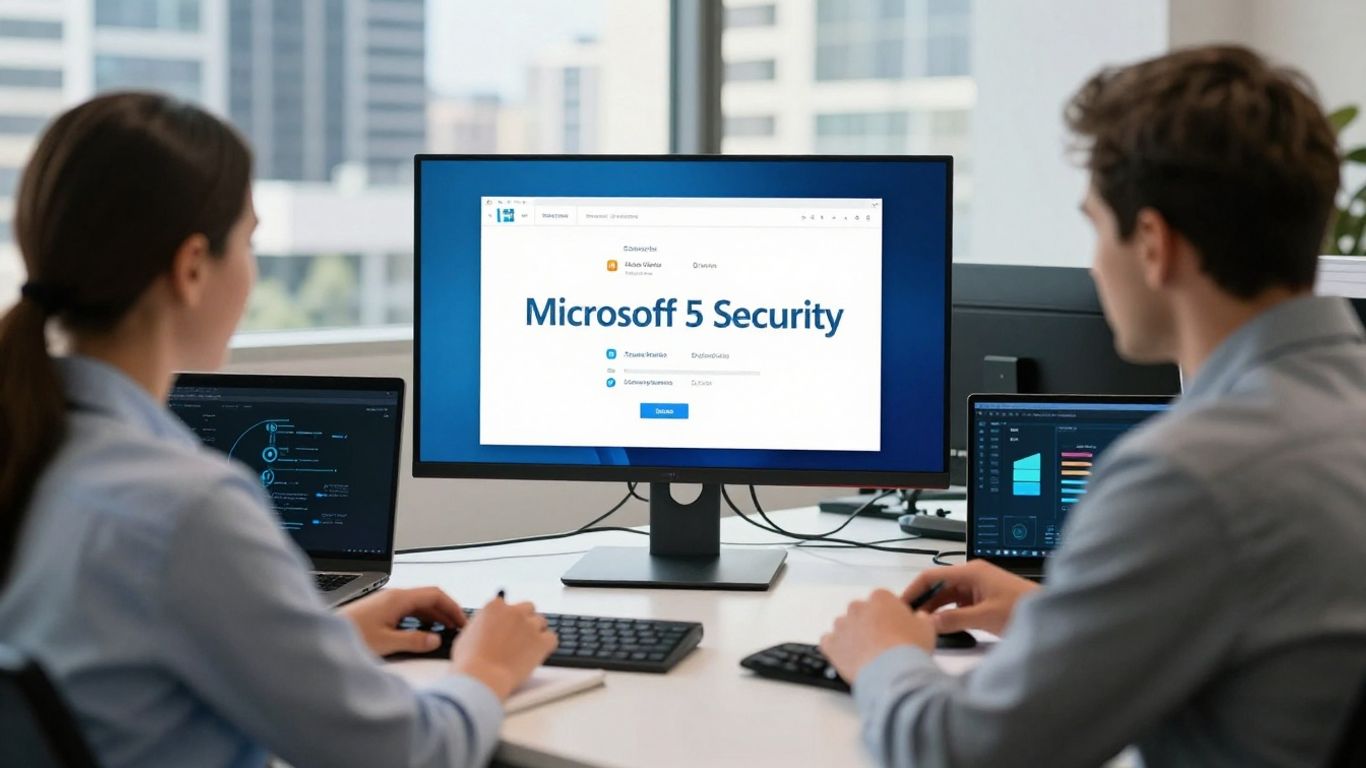
Configure Microsoft 365 security settings correctly
Review tenant security defaults, mailbox policies, alerting and audit settings. Confirm that administrators understand which controls are active and which require additional configuration.
For setup, migration and ongoing management, Microsoft 365 services can help a Brisbane business establish a more consistent tenant configuration.
Apply conditional access and sign-in controls
Use sign-in controls to consider factors such as device health, location and risk where the business environment supports them. Block legacy authentication and investigate repeated failed sign-ins.
Policies should be tested with a small group first, so security improvements do not accidentally prevent legitimate work.
Protect shared mailboxes, forwarding rules and email access
Record who owns each shared mailbox and review its members regularly. Alert on unexpected external forwarding and investigate rules that move messages away from the normal inbox.
Shared mailboxes should not become an unmanaged back door into finance, sales or customer records.
Manage external sharing in Teams, SharePoint and OneDrive
Set sensible sharing defaults and limit anonymous links for sensitive material. Ask staff to use named recipients and expiry dates where appropriate.
Review guest accounts and remove access when a project ends. Collaboration remains useful when sharing is deliberate rather than unrestricted.
Use retention and archiving policies where appropriate
Retention should reflect business, legal and privacy needs. Decide what must be retained, for how long and who can retrieve it, rather than keeping everything indefinitely.
Document exceptions for regulated records and review policies when services or obligations change.
Reduce the risk of human error and data loss
People are not a security control that can be switched on once and forgotten. Staff need clear expectations, realistic examples and an easy way to ask for help. Keep the guidance relevant to the work performed in Brisbane offices, vehicles, homes and client sites.
Train staff to spot modern phishing attacks
Training should cover lookalike domains, conversation hijacking, fake shared documents and requests that create urgency. Use short sessions and examples that resemble the messages staff actually receive.
The aim is confident reporting, not making employees afraid to use email.
Set clear rules for sending sensitive information
Define which information requires extra care, who may approve its release and when a secure sharing method must be used. Encourage staff to check recipients before sending and avoid unnecessary use of reply-all.
A short decision guide near the desk can prevent an avoidable disclosure.
Use encryption and secure file-sharing methods
For sensitive documents, use approved secure file-sharing controls and limit access to named people. Do not assume that an email attachment is private simply because the recipient is known.
Test the process with staff so they understand how recipients authenticate and how access is removed.
Control mobile and personal-device email access
Know which devices can access business mail and require screen locks, updates and remote management where appropriate. Personal devices should not bypass the same identity and access expectations as company equipment.
Review access when a device is lost, replaced or no longer used for work.
Test staff awareness with practical security exercises
Short simulations or discussion-based exercises can reveal whether staff know how to report an incident. Keep exercises educational and measure reporting behaviour rather than shaming individuals.
Use the results to improve training, filtering and approval workflows.
Monitor, respond to and recover from email threats
Prevention reduces risk, but a response plan limits harm when something slips through. Decide in advance who can disable an account, contact a bank, notify affected parties and preserve evidence. Practise the plan before a busy Monday morning incident.
Monitor unusual sign-ins and mailbox activity
Review alerts for unfamiliar locations, impossible travel, repeated failed sign-ins and unusual sending patterns. Also check mailbox rules, downloads and access to sensitive shared resources.
Monitoring is most useful when someone is responsible for reviewing and escalating it.
Create an incident response plan for compromised accounts
Write down the first actions for a suspected compromise: preserve evidence, restrict access, identify affected messages and assess whether contacts received fraudulent instructions. Include an internal communications path and an owner for each step.
Keep the plan accessible if the primary administrator cannot sign in.
Securely reset credentials and revoke active sessions
Reset the password from a known clean device, revoke active sessions and review authentication methods. Remove unauthorised applications, rules and forwarding destinations before restoring normal access.
Check sent items and contacts for signs that the account was used to continue the scam.
Maintain email backups and recovery options
Cloud availability is not the same as an independent backup. Confirm what is protected, how long it is retained and whether recovery has been tested.
Backup and recovery planning offers a useful Brisbane-focused perspective on selecting and testing cloud backup strategies.
Review security logs and improve controls over time
After an incident or near miss, record what happened and which control failed. Update policies, training and technical settings, then check that the change worked.
This steady cycle is more practical for a small South East Queensland business than waiting for a perfect security project.
Choose managed email security for your Brisbane business
Managing identities, filtering, Microsoft 365 settings and response actions can be difficult alongside normal operations. An outsourced provider can bring routine oversight and a defined escalation path without requiring a full internal security team. Choose support that explains decisions plainly.
When to use an outsourced IT and cybersecurity provider
Outsourcing may suit a business with five to 50 staff, limited internal IT capacity or growing compliance needs. It is also useful when Microsoft 365, devices, networks and backups need to be managed together.
OutTask services brings managed IT, cybersecurity, cloud, networks and backup support together for Brisbane businesses.
What to look for in an email security service
Ask whether the service covers MFA, filtering, account reviews, monitoring, staff guidance and incident response. Clarify what is included, who acts on alerts and how recommendations are documented.
A service should fit your systems and risk profile rather than add complexity for its own sake.
How managed support can align with the Essential Eight
Email controls support broader Essential Eight work, including MFA, patching, restricting administrative privileges and maintaining backups. Alignment is not a single product setting; it requires evidence, ownership and regular review.
Ask for a practical gap assessment that matches the controls to your business operations.
Questions to ask about monitoring, response times and reporting
Before choosing a provider, ask these questions:
- Who reviews alerts outside standard business hours?
- How quickly will a suspected account compromise be escalated?
- What evidence and reports will we receive?
- How often are access, backup and security policies reviewed?
The answers should be specific enough for your team to understand what happens during a real incident. Local support can also matter when a Brisbane business needs onsite help with devices or network access.
Book a free IT assessment with OutTask in Brisbane
A free IT assessment can identify exposed accounts, missing MFA, weak domain records and gaps between Microsoft 365 and your wider environment. Contact OutTask to discuss your technology challenges and book an assessment with a Brisbane team. OutTask also provides local IT support and works with businesses across industries through industry-focused IT services.
Conclusion
Email security for small business is built through consistent controls, sensible staff processes and preparation for the day something goes wrong. If your Brisbane or South East Queensland business would like a practical review of Microsoft 365, email filtering, access and recovery, contact OutTask or book a free IT assessment.
Frequently Asked Questions
What is email security for a small business?
It is the combination of account protection, filtering, sender authentication, staff awareness, monitoring and recovery measures used to protect business email and the information connected to it.
Is multi-factor authentication enough to secure business email?
No. MFA is a strong baseline, but it should be supported by filtering, patching, access reviews, staff training, monitoring and tested recovery procedures.
How often should email permissions be reviewed?
Review permissions at least quarterly and whenever someone joins, leaves or changes roles. Shared mailboxes, administrator accounts and external guests deserve particular attention.
What should staff do if they click a suspicious link?
They should report it immediately, avoid entering further information, disconnect the device if instructed by your response process and contact the nominated IT or security person.
Why do SPF, DKIM and DMARC matter?
They help receiving mail systems check whether messages claiming to come from your domain are authorised. Correct configuration can reduce spoofing and improve trust in legitimate messages.
Should Microsoft 365 data be backed up separately?
Businesses should assess whether their Microsoft 365 retention and recovery settings meet their operational, legal and privacy needs. Independent backups and tested restoration may provide additional protection.
How can a Brisbane business improve email security first?
Start with MFA for every account, disable unused access, review forwarding rules, confirm domain authentication and give staff a simple way to report suspicious messages. Then arrange a structured security review.